
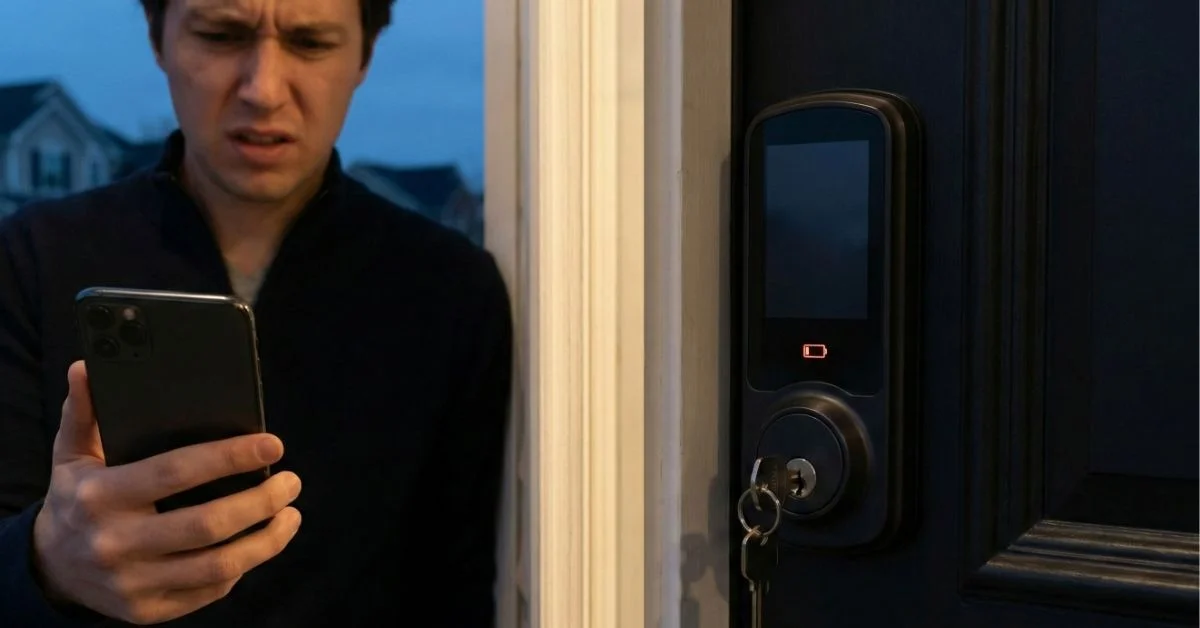
Picture this: You’re standing at your front door after a long day, arms full of groceries, and you reach for your smart lock dead battery nightmare—the keypad won’t light up. Your heart sinks. Are you locked out?
Smart Lock Power Failures: What Happens When the Battery Dies?
Here’s the good news: smart lock dead battery situations are preventable, and even when they happen, you’re not actually locked out. Modern smart locks like The Fine Locks come with multiple backup options to keep you safe and secure. In this guide, you’ll learn exactly what happens when your battery dies, how to open smart lock without power, and how to prevent this from ever happening again.
Let’s start by understanding the warning signs your lock gives you long before it completely dies.
Table of Contents
Warning Signs: How Do I Know My Battery Is Low?
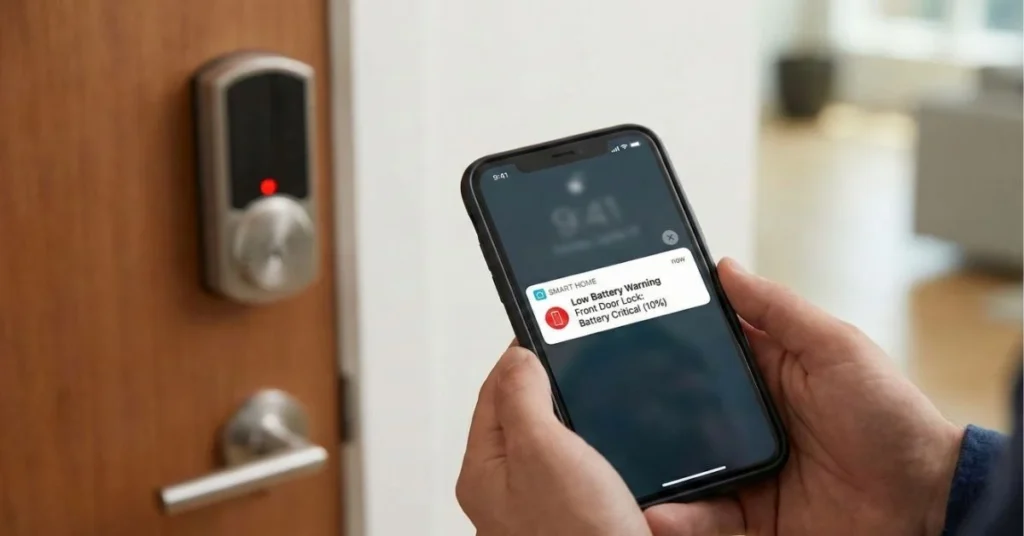
Your smart lock won’t just die without warning. Most quality locks, including The Fine Locks, give you plenty of advance notice through a low voltage warning system.
Common warning signs include:
- Flashing LED lights – Usually red or orange when you use the lock
- Beeping sounds – Multiple beeps when you lock or unlock
- App notifications – Smart locks send alerts to your phone when battery drops below 20%
- Slower response time – The lock takes longer to engage or disengage
- Voice alerts – Some models announce “low battery” when activated
How much time do you have?
Once you see the first low battery warning, you typically have 2-4 weeks of normal use remaining. This gives you plenty of time to replace the batteries without panic. The Fine Locks battery life is designed to provide even longer warning periods, often lasting 30 days or more after the first alert.
Pro tip: Don’t ignore these warnings. Set a reminder on your phone the moment you see the first low battery indicator.
Emergency Solutions: How to Open Smart Lock Without Power
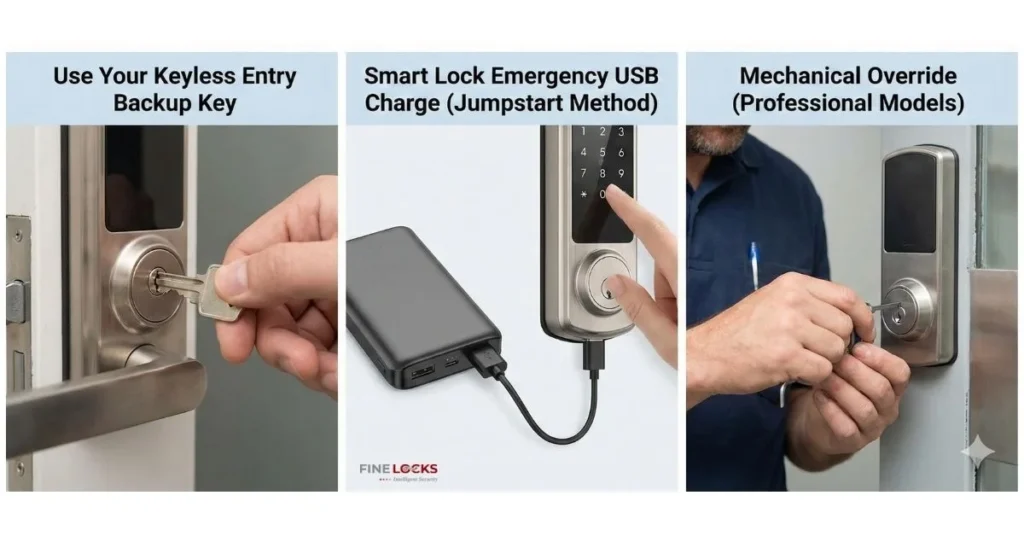
If your smart lock dead battery situation has already happened, don’t panic. You have several ways to regain access to your home.
Method 1: Use Your Keyless Entry Backup Key
Every quality smart lock includes a traditional keyless entry backup key hidden beneath a cover plate or cap.
Step-by-step process:
Step 1: Locate the keyhole cover at the bottom of your lock (it’s usually a small circular or rectangular cap)
Step 2: Use a coin or your fingernail to pop off the cover – it slides or twists off easily
Step 3: Insert your physical backup key that came with your lock
Step 4: Turn the key just like a traditional lock to open your door
Important: Always keep your keyless entry backup key in a safe place separate from your house. Good options include your wallet, car glove box, or with a trusted neighbor.
Method 2: Smart Lock Emergency USB Charge (Jumpstart Method)
This is the modern solution that makes smart lock dead battery problems nearly impossible. Many newer smart locks, including The Fine Locks premium models, include a Type-C emergency port.
How the 9V battery jumpstart works:
Step 1: Locate the emergency power port – usually at the bottom of the exterior keypad
Step 2: Connect a USB power bank or 9V battery to the external contacts (some models have a specific 9V battery holder)
Step 3: The lock will power on temporarily – you’ll see lights or hear a beep
Step 4: Quickly enter your access code or use your phone app to unlock
Step 5: Open the door and replace the internal batteries immediately
What you need for smart lock emergency USB charge:
- A portable power bank (most USB-C or micro-USB types work)
- OR a standard 9V battery (the rectangular ones from the store)
- The charging cable (USB-C or micro-USB depending on your model)
The Fine Locks models feature both Type-C emergency ports AND 9V battery terminals, giving you double the backup options when dealing with how to open smart lock without power scenarios.
Method 3: Mechanical Override (Professional Models)
Some high-end locks include a mechanical override system that works completely independently of electronics.
This feature uses a special tool or key to manually retract the bolt mechanism. Check your lock’s manual to see if this option is available.
Preventing Battery Death: Maintenance and Best Practices
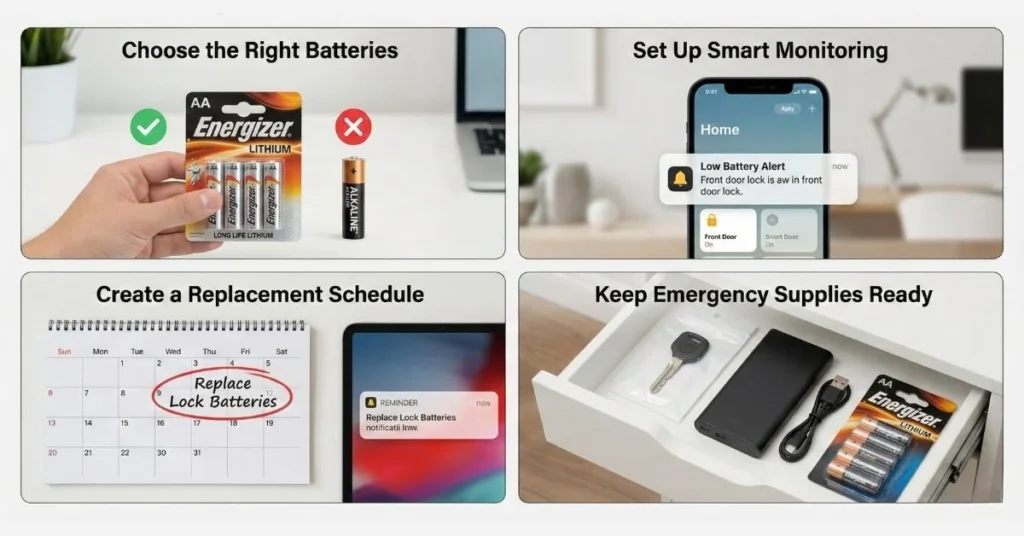
The best way to handle a smart lock dead battery is to prevent it from happening in the first place.
Choose the Right Batteries
Not all batteries are equal for smart locks.
Lithium vs alkaline batteries comparison:
- Lithium batteries (Recommended) – Last 12-18 months, work better in extreme temperatures, cost more upfront
- Alkaline batteries – Last 6-12 months, cheaper initially, may leak over time, perform poorly in cold weather
The Fine Locks battery life is optimized for lithium batteries, providing up to 18 months of reliable operation with standard use (15-20 unlocks per day).
Set Up Smart Monitoring
Modern smart locks make lock out prevention easy with built-in monitoring.
Enable these features:
✓ Push notifications for low battery alerts
✓ Email reminders as backup alerts
✓ Battery percentage display in your app (check monthly)
✓ Activity logs to track unusual battery drain
Create a Replacement Schedule
Don’t wait for warnings. Set a calendar reminder to check and replace batteries proactively.
Recommended schedule:
- Check battery level: Every 3 months
- Replace batteries: Every 12 months (lithium) or 6 months (alkaline)
- Test backup key: Every 6 months
- Update firmware: Whenever available (improves battery efficiency)
Keep Emergency Supplies Ready
Prepare for the unexpected by keeping these items accessible:
- Spare batteries in your car or office
- Portable power bank in your bag
- 9V battery in your wallet or purse (they’re flat and portable)
- Backup key with a trusted neighbor or in a secure location
Why The Fine Locks Offers Superior Battery Reliability
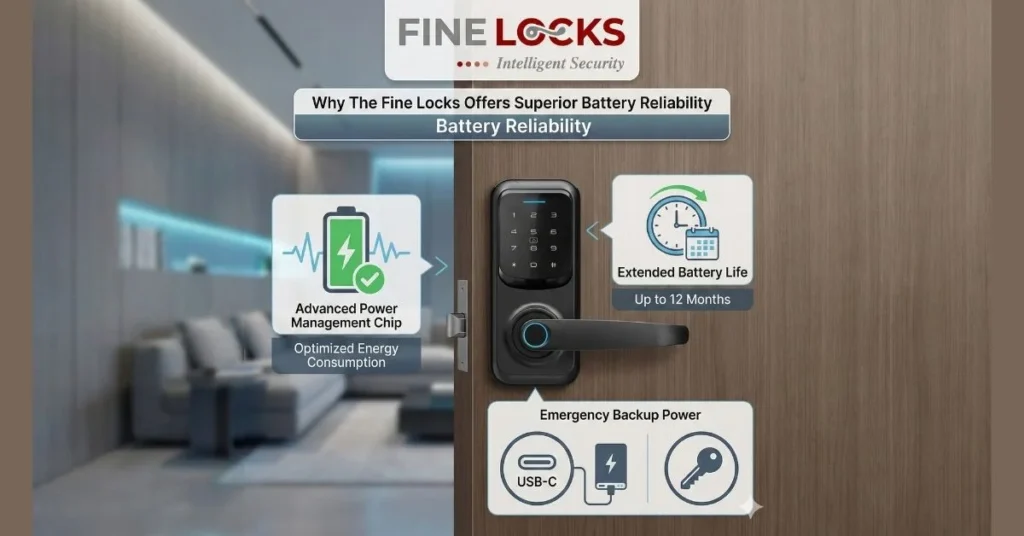
When choosing a smart lock, battery management features should be a top priority. The Fine Locks battery life technology includes several advantages:
Advanced power management: Intelligent sleep mode reduces battery drain by up to 40%
Dual emergency access: Both Type-C emergency port AND 9V battery jumpstart terminals
Extended warning period: 30+ days of warnings before complete power loss
Weather-resistant design: Performs consistently in temperatures from -20°F to 150°F
Premium materials: High-quality electronic components reduce phantom power drain
Shop The Fine Locks Smart Collection
These features mean you’re far less likely to experience a smart lock dead battery emergency, and if you do, you have multiple ways to resolve it quickly.
Real-World Example: A Customer Story
Sarah from Austin, Texas shared her experience:
“I ignored the low battery warnings for about three weeks because I kept forgetting to buy batteries. One evening, my lock finally died. I panicked at first, but then remembered the USB port. I used my phone’s power bank, got inside in 30 seconds, and replaced the batteries. The whole situation taught me to keep spare batteries in my car now!”
This story shows how smart lock emergency USB charge technology turns a potential disaster into a minor inconvenience.
What Makes Smart Locks Safer Than Traditional Locks
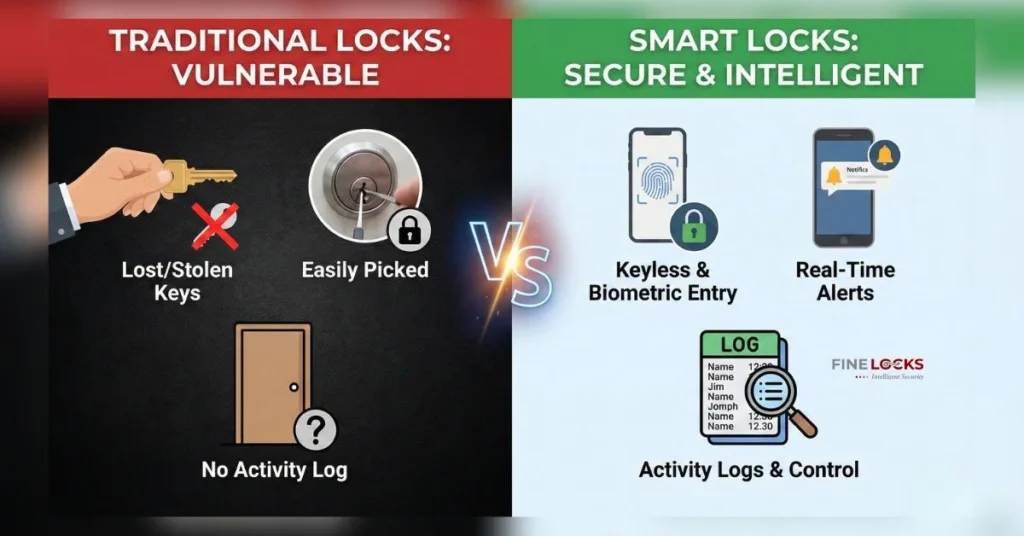
Some people worry that relying on batteries makes smart locks less reliable. The truth is the opposite.
Smart locks are actually MORE secure because:
- You can’t physically lose your access (codes and phone apps)
- Keyless entry backup key prevents lock-picking attempts
- Multiple backup methods (mechanical key, USB power, 9V jumpstart)
- You receive warnings before problems occur
- Remote access lets family members help if needed
Traditional locks only have one option: a physical key that can be lost, copied, or used by unwanted people.
Read Guide: Are Smart Locks 2025 the Right Choice for Your Home?
Quick Action Checklist: What to Do Right Now
Don’t wait for a smart lock dead battery crisis. Take these steps today:
Immediate actions:
□ Locate your physical backup key and store it safely
□ Buy a small portable power bank to keep in your bag
□ Purchase a 9V battery to keep in your car
□ Enable all battery notifications in your lock’s app
□ Set a calendar reminder to check battery levels quarterly
Monthly maintenance:
□ Check battery percentage in your app
□ Test your backup key to ensure it works
□ Inspect the lock for any physical damage
□ Wipe down the keypad to keep it clean
When to Contact Professional Support
While most smart lock dead battery situations are easy to resolve, sometimes you need expert help.
Contact support if:
- Your backup key won’t turn or fit properly
- The emergency USB port doesn’t respond to power
- You’ve lost both your backup key and your power source
- The lock shows other error codes after battery replacement
- You need help programming new access codes
The Fine Locks customer support team is available 24/7 to help you regain access and troubleshoot any issues.
Stay Prepared and Stay Secure
A smart lock dead battery doesn’t have to be a crisis. With proper maintenance, advance warnings, and multiple backup options like how to open smart lock without power methods, you’ll always have access to your home.
Remember these key points:
- Smart locks warn you weeks in advance with low voltage warning systems
- Multiple backup options exist including mechanical keys, USB charging, and 9V battery jumpstart
- The Fine Locks battery life provides 12-18 months of reliable operation
- Prevention is simple with regular battery checks and smart notifications
The technology is designed to keep you safe and secure, not locked out. By understanding your lock’s backup systems and following simple maintenance routines, you’ll enjoy all the convenience of keyless entry without any of the worry.
Ready to upgrade to a smart lock with superior battery management and emergency access features? The Fine Locks offers the most reliable keyless entry backup key systems and longest battery life in the industry.
Frequently Asked Question(FAQs)
What should I do if my smart lock dead battery happens when I’m not home?
If you’re away when your smart lock dead battery occurs, you have options. First, ask a trusted neighbor or family member with a spare key to help. Second, many smart locks allow temporary codes you can share remotely. Third, contact a locksmith who can use the mechanical override. The Fine Locks support team can also guide someone through the smart lock emergency USB charge process over the phone.
How long does The Fine Locks battery life typically last?
The Fine Locks battery life averages 12-18 months with lithium batteries under normal use (15-20 unlocks daily). Factors affecting this include weather, usage frequency, and whether you use auto-lock features. The lock provides 30+ days of low battery warnings before dying completely, giving you ample time to replace batteries.
Can I use rechargeable batteries in my smart lock?
While rechargeable batteries work, they’re not recommended for smart locks. Rechargeable batteries have lower voltage (1.2V vs 1.5V) and can trigger low voltage warning alerts prematurely. Standard lithium or alkaline batteries provide more consistent power and longer The Fine Locks battery life. Save rechargeable batteries for other devices.
How do I know if my smart lock has a USB emergency port for charging?
Check the bottom exterior of your keypad for a small rubber cover or port labeled “Emergency Power” or “USB.” The Fine Locks models feature a Type-C emergency port clearly marked for easy identification. Your product manual will also show the smart lock emergency USB charge port location. If you’re unsure, contact support with your model number.
Is the keyless entry backup key as secure as the smart features?
Yes, the keyless entry backup key meets the same security standards as traditional deadbolts. The Fine Locks uses high-security key cylinders that resist picking and bumping. The key is only a backup option—you’ll rarely need it. Store it securely separate from your home, and consider giving a spare to a trusted family member. This physical backup is one reason why you’ll never experience a permanent lockout even with a smart lock dead battery.
0 Comments